What is HSL? A Complete Guide to Hue, Saturation, and Lightness
May 14, 2026
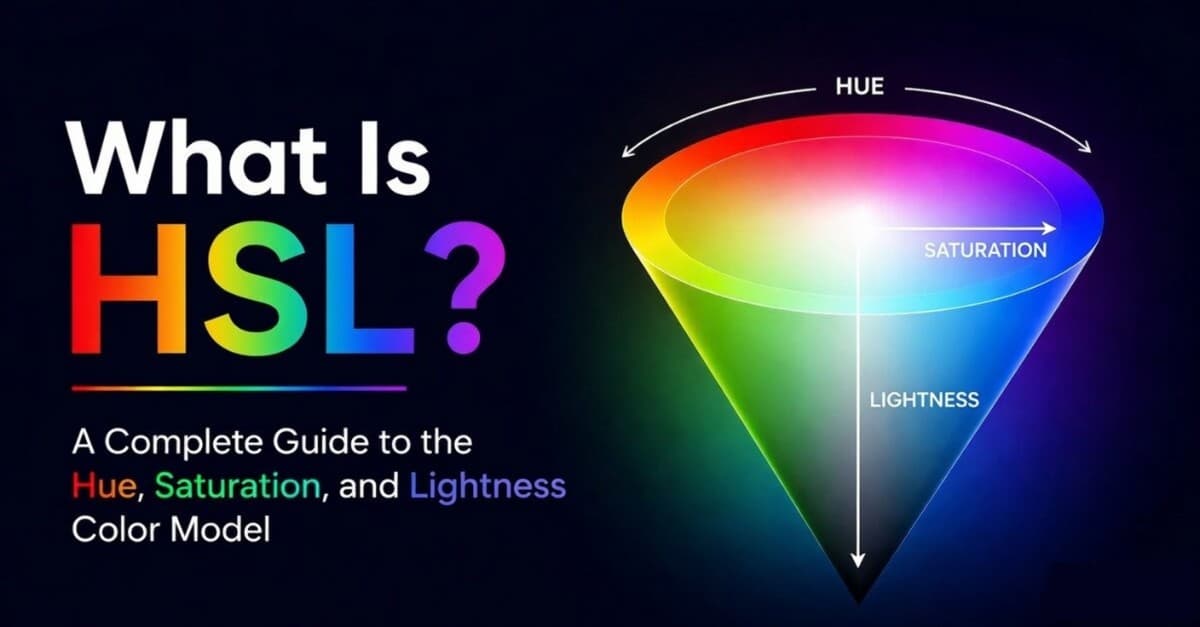
HSL stands for Hue, Saturation, and Lightness. It is a color model that describes colors in the language designers naturally use: what color family it belongs to, how intense it is, and how light or dark it feels.
If RGB is how screens build color from red, green, and blue light, HSL is a friendlier way to control the same colors. Instead of asking "how much red, green, and blue do I need?", HSL lets you ask "what hue do I want, how vivid should it be, and should it be lighter or darker?"
That makes HSL especially useful for CSS, palette exploration, color harmonies, and quick UI theming. It is also one of the easiest color spaces to understand before moving into picker-focused models like HSV or more advanced models like OKLCH and OKLAB. If you want the wider map, start with all color spaces explained. If you want to understand the screen model HSL converts from, read what RGB is.
What Is HSL?
HSL is a cylindrical representation of RGB color. It describes a color with three coordinates:
- Hue: the base color, measured as an angle around a color wheel from 0 to 360.
- Saturation: the intensity of the color, from gray at 0% to fully vivid at 100%.
- Lightness: the light-dark position, from black at 0% to white at 100%.
The format is usually written like this in CSS:
hsl(340 78% 60%)That example means: choose a reddish-pink hue near 340deg, make it strongly saturated, and place it slightly lighter than the pure midpoint.
HSL does not create new colors beyond RGB. It reorganizes the RGB cube into a shape that is easier to think about when designing. Every HSL color in CSS maps back to an sRGB color, just like HEX and rgb() do.
Hue: The Color Wheel Angle
Hue is the base color family. It is measured in degrees around a color wheel:
- 0deg or 360deg: red
- 60deg: yellow
- 120deg: green
- 180deg: cyan
- 240deg: blue
- 300deg: magenta
This angle-based model is why HSL is so handy for building color schemes and adjusting warm vs. cool color temperature. Complementary colors are roughly 180deg apart. Analogous colors sit nearby. Triadic colors are about 120deg apart.
Drag the knob around the wheel to play around with hue and saturation changes.
For example:
--base: hsl(210 90% 55%);--complement: hsl(30 90% 55%);--analogous-a: hsl(180 90% 55%);--analogous-b: hsl(240 90% 55%);The hue number gives you a direct handle on color harmony in a way RGB never does.
Saturation: How Vivid the Color Is
Saturation controls color intensity. At 100%, the color is as vivid as HSL can make it for that hue and lightness. At 0%, the hue disappears completely and the result is a shade of gray.
For the same hue and lightness:
| HSL | Result | What it feels like |
|---|---|---|
| hsl(210 0% 50%) | Neutral gray | No color intensity |
| hsl(210 35% 50%) | Muted blue | Subtle, calm, UI-friendly |
| hsl(210 100% 50%) | Vivid blue | Bright and energetic |
Lowering saturation is one of the fastest ways to make a palette feel more refined. High saturation can be useful for accents and alerts, but full-strength colors everywhere tend to look loud, especially in interfaces.
Lightness: How Light or Dark the Color Is
Lightness moves the color between black and white. In HSL:
- 0% lightness is always black .
- 50% lightness is the pure version of the hue.
- 100% lightness is always white .
This makes HSL great for simple tints and shades:
--blue-900: hsl(210 90% 20%);--blue-700: hsl(210 90% 35%);--blue-500: hsl(210 90% 50%);--blue-300: hsl(210 90% 70%);--blue-100: hsl(210 90% 90%);But there is an important catch: HSL lightness is mathematical, not perceptual. Yellow at hsl(60 100% 50%) and blue at hsl(240 100% 50%) both have 50% lightness, but yellow looks much brighter to human eyes.
That mismatch matters when you are building accessible color systems. HSL can help you explore, but you still need real contrast checks. My guide to WCAG and APCA color contrast explains how browsers and standards judge readability.
Interactive HSL Picker
Drag the Hue, Saturation, and Lightness sliders below. Notice how each control maps to a clear design decision:
- Hue changes the color family.
- Saturation makes the color muted or vivid.
- Lightness creates darker shades and lighter tints.
Try setting Saturation to 0%. No matter where Hue is, the color becomes gray. Then set Lightness to 50% and rotate Hue to see the color wheel directly.
HSL vs RGB
HSL and RGB can represent the same standard web colors, but they are useful for different jobs.
| HSL | RGB | |
|---|---|---|
| Coordinates | Hue, Saturation, Lightness | Red, Green, Blue |
| Mental model | Color wheel and tints/shades | Light emitted by screen pixels |
| Best for | Choosing, adjusting, and relating colors | Storing exact screen colors |
| Common CSS | hsl(210 90% 55%) |
|
Use RGB or HEX when you need a compact, exact value. Use HSL when you want to manipulate a color in a way that feels closer to design language.
HSL vs HSV: Lightness vs Value
HSL is often confused with HSV, also called HSB. Both use hue and saturation, but their third channel is different.
HSL Lightness runs from black at 0%, through the pure hue at 50%, to white at 100%.
HSV Value runs from black at 0% to the pure hue at 100%. In HSV, adding white is handled by reducing saturation, not by increasing value.
| HSL | HSV / HSB | |
|---|---|---|
| Pure hue | 50% lightness, 100% saturation | 100% value, 100% saturation |
| White | 100% lightness | 100% value, 0% saturation |
| Best mental model | CSS theming and shade scales | Visual color pickers and painting |
Neither model is perceptually uniform, but both are much easier to explore than raw RGB. For the picker-focused version of this comparison, read the full HSV guide.
HSL in CSS
Modern CSS supports HSL directly:
.button { background: hsl(340 82% 60%); color: white;}The older comma syntax still works:
.button { background: hsl(340, 82%, 60%);}You can add alpha with a slash:
.overlay { background: hsl(220 80% 20% / 0.72);}HSL pairs especially well with CSS custom properties:
:root { --brand-hue: 210; --brand-saturation: 90%; --brand-500: hsl(var(--brand-hue) var(--brand-saturation) 50%); --brand-700: hsl(var(--brand-hue) var(--brand-saturation) 35%);}That pattern makes it easy to adjust a whole theme by changing one hue value. It is also why HSL became popular in design token systems before newer spaces like OKLCH gained browser support.
When to Use HSL
Use HSL when you are...
- Writing CSS by hand. HSL is readable, native, and easy to tweak in the browser.
- Exploring color harmonies. Hue rotation makes analogous, complementary, and triadic palettes straightforward.
- Creating quick tints and shades. Adjusting lightness is much faster than balancing three RGB channels.
- Building simple themes. A hue variable plus saturation and lightness steps can take you a long way.
- Teaching digital color. Hue, saturation, and lightness are easier to explain than channel mixing.
Reach for another space when you are...
- Storing exact screen colors. HEX and RGB are more compact.
- Working with visual color pickers. HSV often maps better to picker rectangles.
- Building serious accessible systems. OKLCH gives more predictable perceived lightness.
- Making smooth gradients. OKLAB and OKLCH usually interpolate better than HSL or RGB.
- Preparing for print. HSL is still a screen-color model, not a CMYK print workflow.
Limitations of HSL
HSL is intuitive, but it is not magic. The biggest limitations are:
- Lightness is not perceived brightness. Equal lightness values can look wildly different across hues.
- Saturation is uneven. 100% saturation is not equally intense for every hue.
- It is still tied to sRGB. CSS HSL cannot describe wide-gamut colors outside the standard RGB range.
- Gradients can look strange. HSL interpolation may swing through unexpected hues.
- Accessibility is not guaranteed. Similar lightness numbers do not mean readable contrast.
The practical rule: HSL is excellent for thinking and sketching. When exact perception matters, verify with contrast tools or switch to a perceptual space.
Frequently Asked Questions
What does HSL stand for?
HSL stands for Hue, Saturation, and Lightness. Hue is the color wheel angle, saturation is intensity, and lightness is the position between black and white.
Is HSL the same as RGB?
No. HSL and RGB can describe the same sRGB colors, but they use different coordinates. RGB uses red, green, and blue light channels. HSL uses hue, saturation, and lightness.
Is HSL better than RGB?
HSL is better for adjusting and reasoning about colors. RGB is better for representing how screens emit light and for compact exact values like HEX. Most design work benefits from knowing both.
What is the difference between HSL and HSV?
HSL uses Lightness, where 50% is the pure hue and 100% is white. HSV uses Value or Brightness, where 100% value is the pure hue and white comes from lowering saturation.
Why does HSL lightness look inconsistent?
Human vision does not perceive every hue at the same brightness. Yellow looks much brighter than blue even when both have 50% HSL lightness. That is why perceptual spaces like OKLCH are better for precise shade scales.
Can I use HSL in modern CSS?
Yes. CSS supports both modern space-separated syntax like hsl(210 90% 55%)
and older comma-separated syntax like hsl(210, 90%, 55%)
.
Wrapping Up
HSL is one of the best entry points into digital color because it matches how people talk about color: choose a hue, decide how vivid it should be, then make it lighter or darker. It will not solve every color problem, but it makes everyday CSS and palette work much easier.
The next step is to use HSL with the rest of the color system in mind:
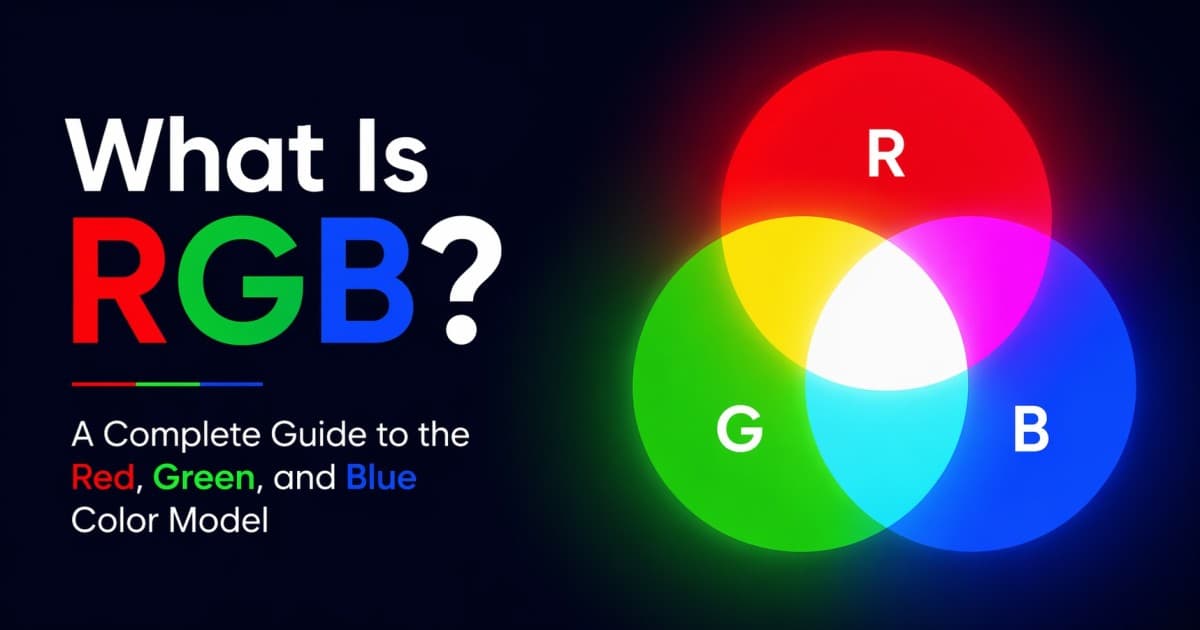
- What Is RGB? explains the screen-color model HSL maps back to.
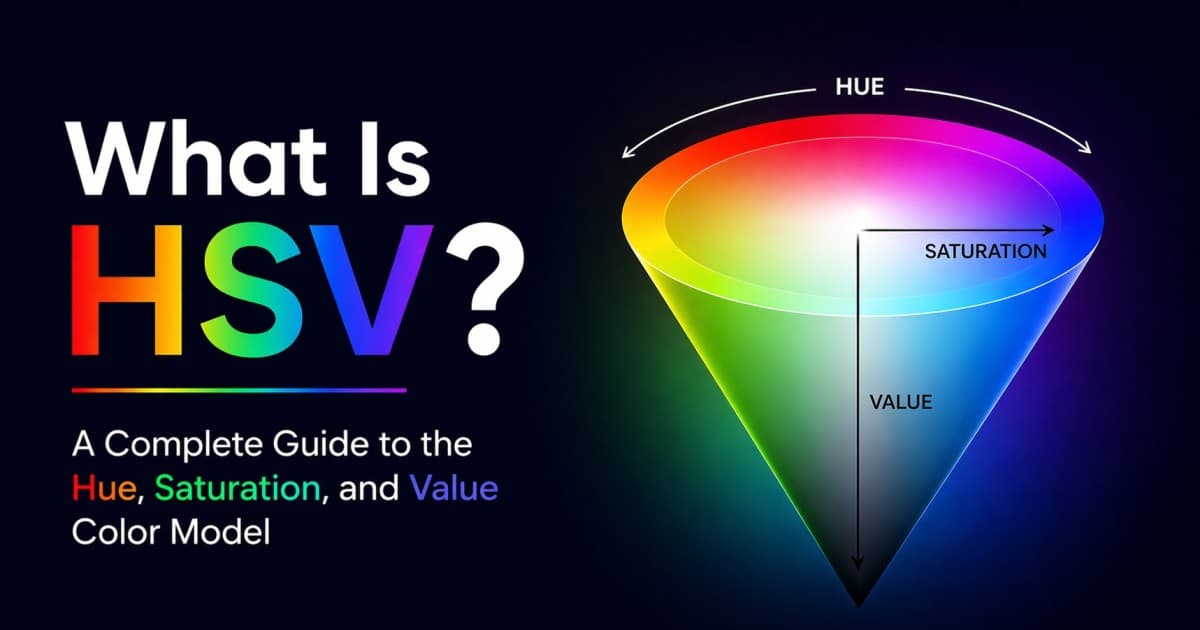
- What Is HSV? explains the closely related color picker model.
- OKLCH vs OKLAB vs HSL compares HSL with modern perceptual spaces for gradients and themes.
- All Color Spaces Explained shows where HSL fits alongside HSV, HWB, OKLCH, LAB, and CMYK.
- What Is a Color Scheme? turns hue angles into practical palettes.
- Color Temperature in Design explains how warm and cool hue shifts affect mood, branding, and UI hierarchy.
- Web Accessibility & Color Contrast helps you check whether those palettes are actually readable.
Viral products havethree colors
Huebert generates high-contrast color schemes of background, foreground, and primary for beautiful and accessible UIs.
Generate your scheme